Billing & subscription
Upgrade, manage payment details, and find your invoices — all handled securely through Stripe.
Billing lives under Settings → Billing, where you can see your current plan, your usage against its limits, and upgrade or change your subscription. Payments are handled by Stripe — CoNote never sees your card details.
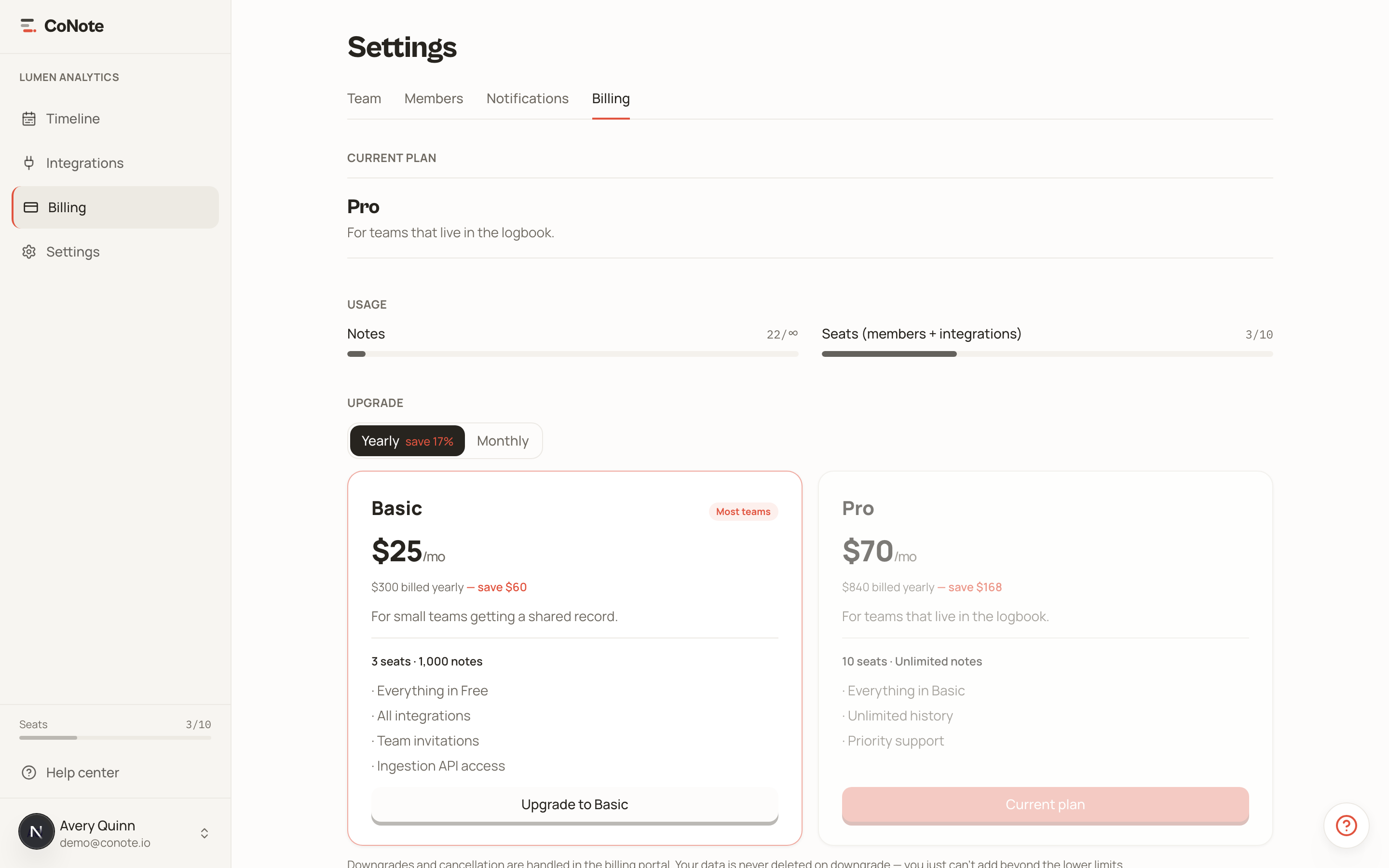
Upgrading
Pick a plan and you'll be asked for your billing details — company name, address, country, and a tax ID where one applies. EU VAT IDs are validated, and reverse-charge is applied automatically for verified businesses. From there, Stripe's secure checkout takes the payment.
Usage
The billing page (and the sidebar, on plans with finite limits) shows how many notes and seats you've used against your plan, so an upgrade never comes as a surprise.
Invoices and payment details
To update your card, change billing details, or download invoices, open the customer portal from the billing page. Stripe creates and emails your invoices automatically.
Stripe is the source of truth for your subscription. If something looks out of date in CoNote right after a change, it syncs from Stripe within moments.