Site Watch integration
Detect when a page's code or content changes and record it as a Deployment or Content note — no access to your servers needed.
Site Watch notices when a web page actually changes — its code or its content — and records it, even when the change came from a system that can't report to CoNote itself (a CMS, an agency, a no-code tool).
What lands on your timeline
- Deployment notes when a page ships new code, detected from a change in its set of loaded assets (scripts and styles).
- Content notes when the visible content changes — title, meta description, headline, or body text — with a before-and-after so you can see exactly what moved.
How it works
CoNote fetches each page hourly (no browser, no access to your servers) and compares it to the last version. To keep noise out, a change must survive two consecutive checks before it's logged, and a page that flips back to a recent state is ignored. You can watch up to 5 URLs, with no credentials.
Setting it up
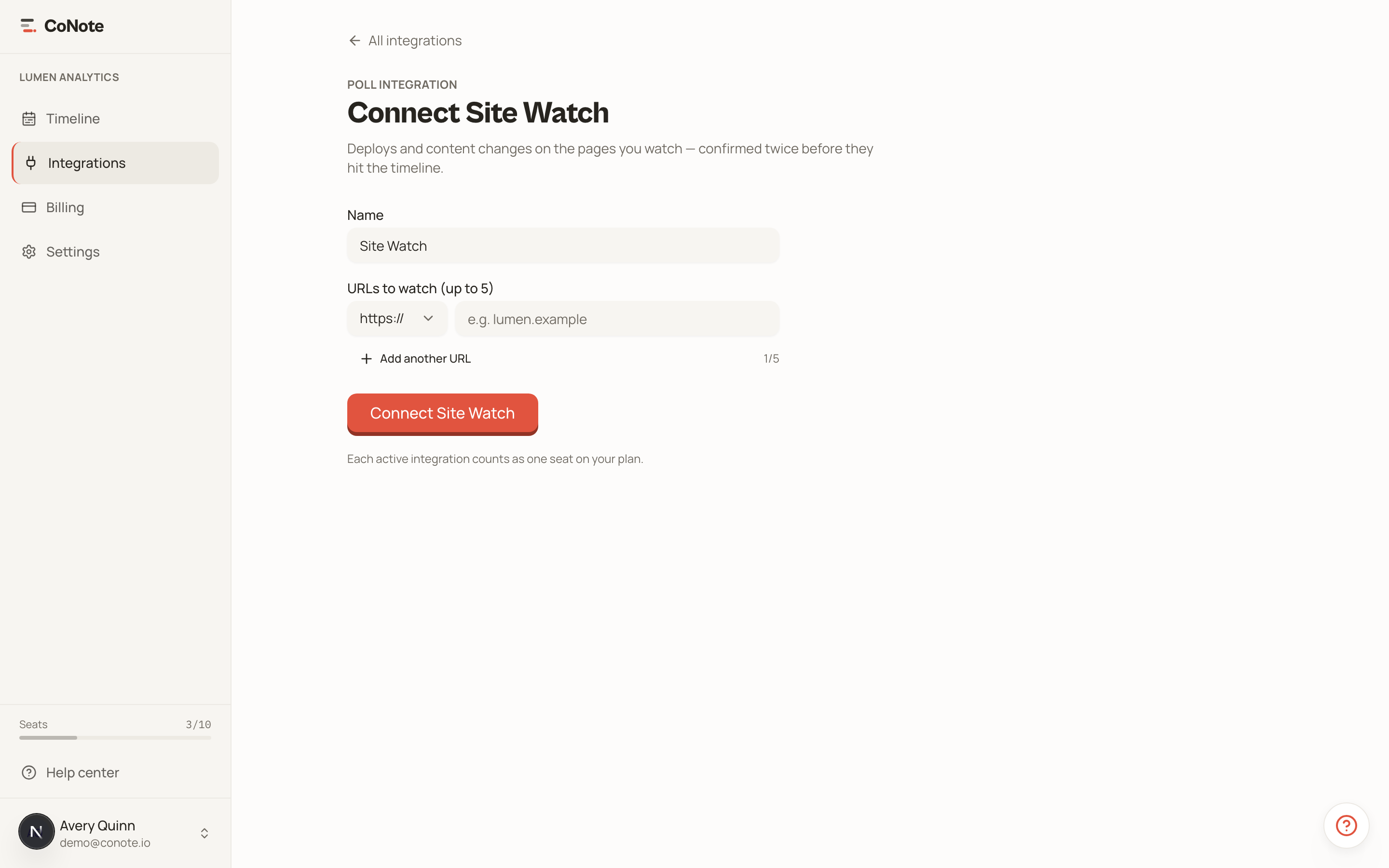
Add the integration
In Integrations, choose Site Watch.
Add the pages to watch
Enter the URLs — a landing page, your pricing page, a key blog post. CoNote starts tracking them on the next hourly check.
Site Watch is the safety net for changes nothing else reports. If your marketing team edits a landing page in a CMS, you'll still see it on the timeline.